eJPT Certification Review and Guideline
รีวิวและแนวทางสอบใบเซอร์ eJPT (Junior Penetration Tester) My eJPT review and exam guide · what INE's Junior Penetration Tester exam actually asks for, and how I prepared for it.
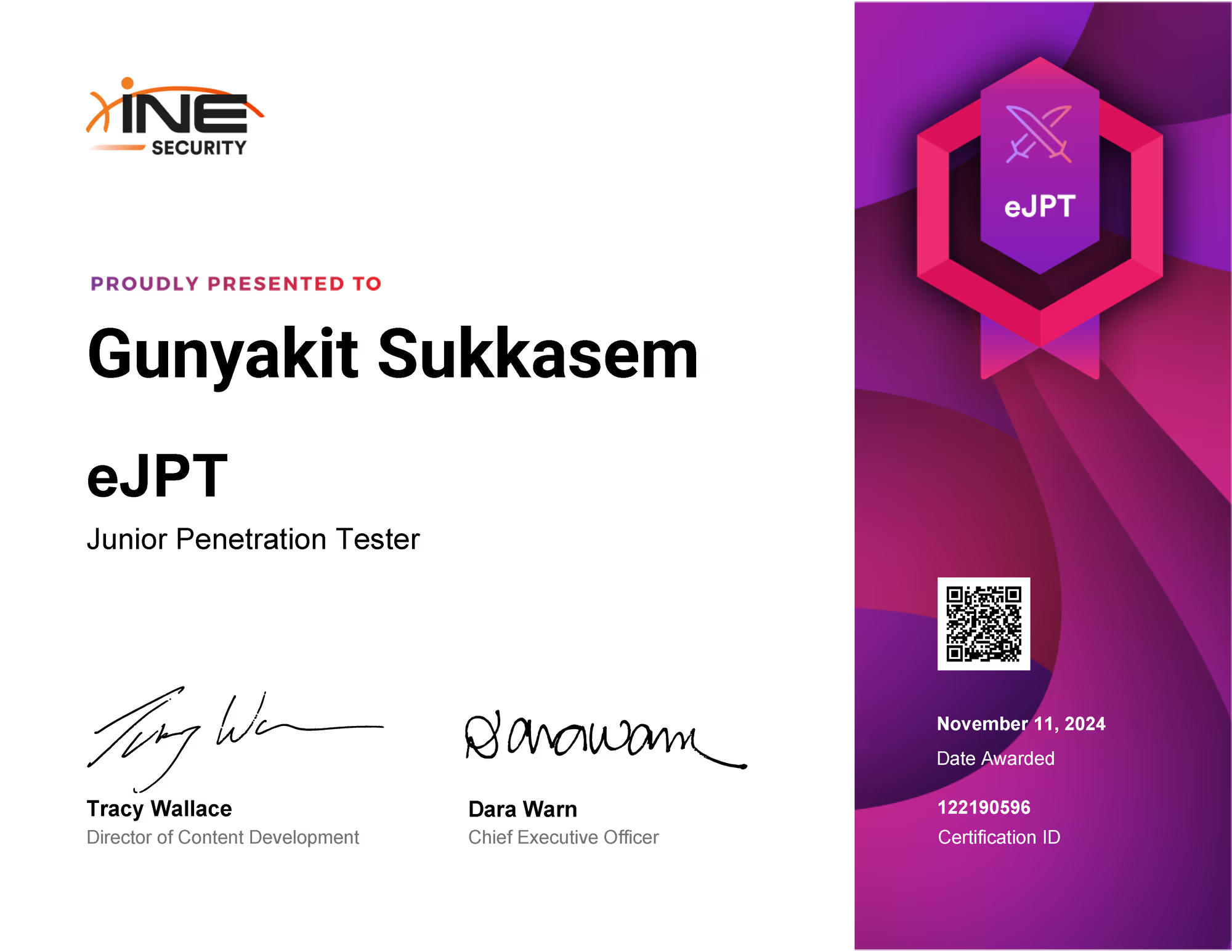
Present a certificate : Link
ทักทายกันหน่อย
สวัสดีครับทุกคน สำหรับในบล็อกนี้ผมก็จะมารีวิว eJPT Certificate ของค่าย INE รวมไปถึง Guideline แนะนำสำหรับผู้ที่สนใจ ที่จะเริ่มเก็บเซอร์ในสายงาน Cyber Security ในบทบาทของ Penetration Tester หรือ นักทดสอบเจาะระบบ ในระดับเริ่มต้นนั่นเองครับ
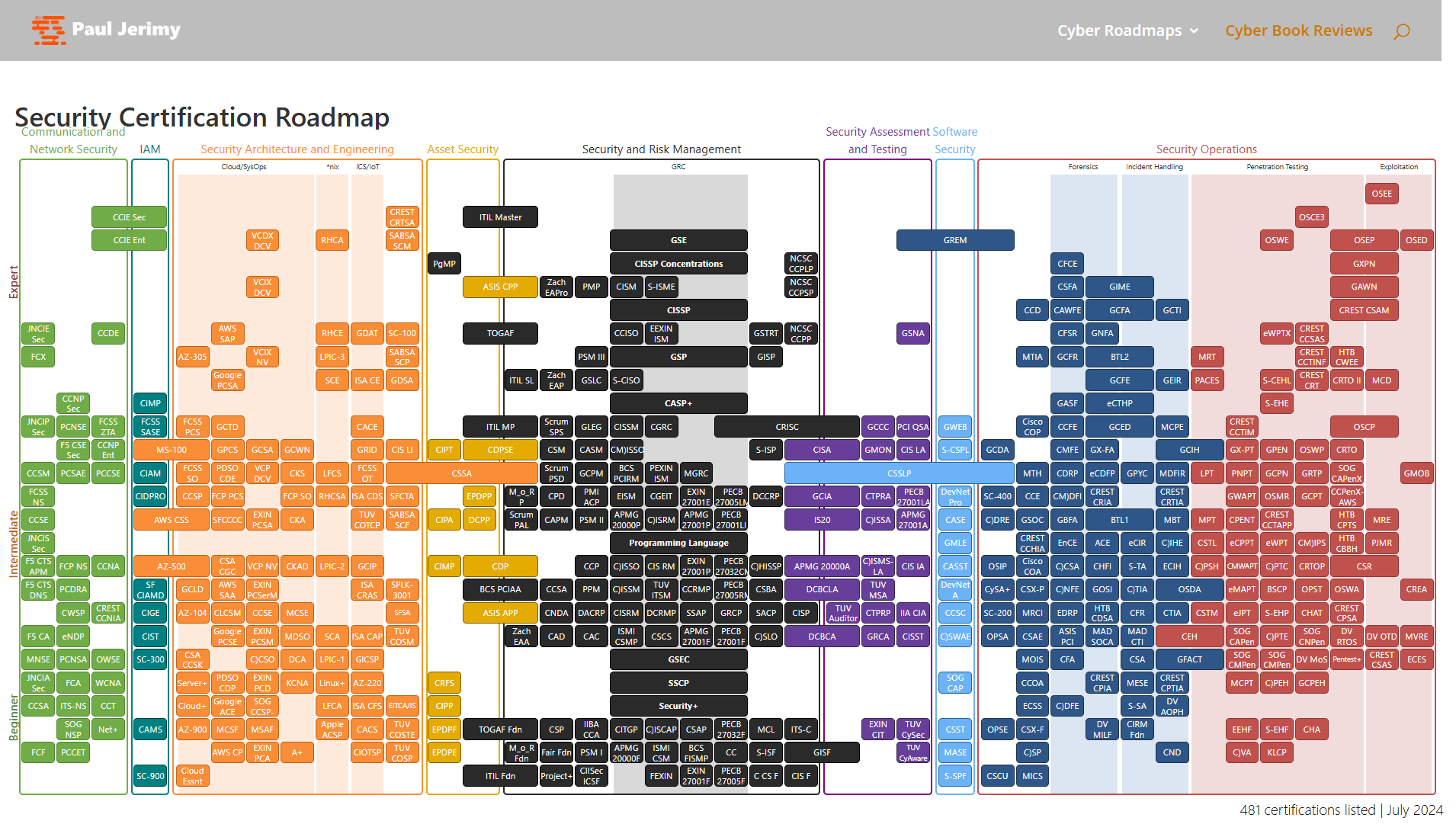
TIPเรื่องการจัดอันดับ Security Certification Roadmap มีเว็บไซต์ pauljerimy.com ที่ได้ทำแผนภาพสรุปไว้ให้ดูเป็นอย่างดีเลยครับ
แนะนำตัวกันก่อน
ขอเล่าประวัติผมก่อนนะครับว่า จริง ๆ แล้วผมก็เพิ่งจบการศึกษามาได้ไม่นาน จาก รร.นนก (โรงเรียนนายเรืออากาศนวมินทกษัตริยาธิราช) ผมเรียนจบสาขาวิศวกรรมไฟฟ้ามา ซึ่งไม่มีวิชาที่เกี่ยวกับไซเบอร์เลยในหลักสูตร แต่มีเพิ่มเติมวิชานอกสาขามาเกี่ยวกับไซเบอร์มาแค่ 1 รายวิชา ที่เสริมเข้ามาเพื่อตอบสนองกับโดเมนของกองทัพอากาศ ได้แก่ Air Domain, Cyber Domain และ Space Domain ครับ ซึ่งต้องบอกตรง ๆ ว่า ผมไม่ได้จบตรงสาย และที่ผ่านมาคือ ศึกษาเรื่องของไซเบอร์ด้วยตนเองเป็นส่วนใหญ่ อีกส่วนก็คือ ชมรมไซเบอร์นายเรืออากาศ ที่จะมีอาจารย์น้อยท่าน ที่สามารถให้คำปรึกษาด้านนี้ได้ครับ และต้องบอกว่าผมได้รับประสบการณ์เกี่ยวกับไซเบอร์ จากงานการแข่งขัน CTF (Capture The Flag), การแข่งขันการปฏิบัติการทางไซเบอร์กองทัพอากาศ เป็นหลักครับ และคำแนะนำจากพี่ ๆ ในวงการไซเบอร์ที่มีประสบการณ์ตรงในสายงานนี้โดยตรง ซึ่งผมต้องขอบคุณเป็นอย่างยิ่งครับ :)
Overview
สำหรับ eJPT (Junior Penetration Tester) เป็น Certificate ระดับเริ่มต้นเลย เหมาะสำหรับคนที่ ZERO แล้วศึกษาจนพร้อมที่จะสอบวัดระดับความรู้ในเชิงปฏิบัติ ด้านการทดสอบเจาะระบบขั้นพื้นฐานครับ
ตัวข้อสอบเป็น Multiple Choice ผสม Capture The Flag จำนวนทั้งหมด 35 ข้อ โดยเราต้องตอบคำถามตามที่โจทย์กำหนด ยกตัวอย่างเช่น หาจำนวน DMZ (Demilitarized Zone) ในเครือข่าย, หาพาสเวิร์ดของ User ที่กำหนด, Flag Root (ไฟล์คำตอบที่อ่านได้เฉพาะผู้ใช้สิทธิ์ระดับสูงสุดในระบบ) ฯลฯ ระยะเวลาในการสอบ 48 ชั่วโมง หรือ 2 วัน ไม่มีผู้คุมสอบ ไม่ต้องเขียน Report ส่ง สอบเสร็จ Submit คำตอบเองรู้ผลเลย
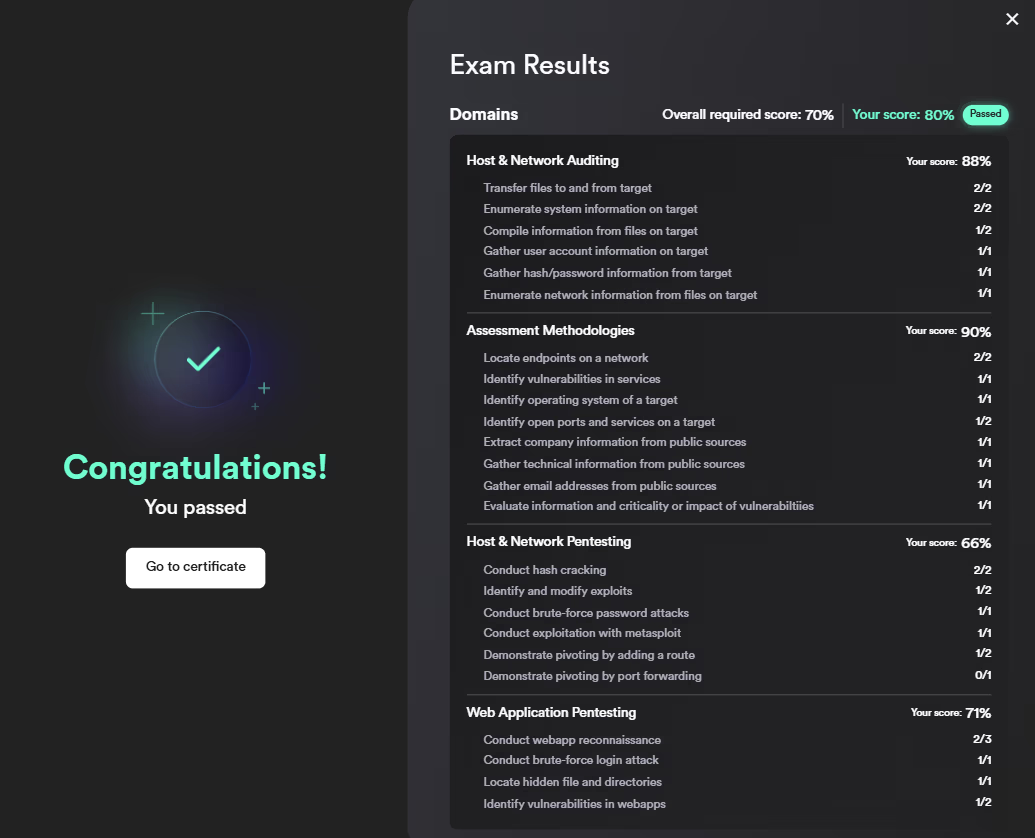
การหาคำตอบจะมีเครื่อง Kali ของทางค่าย INE มาให้ เครื่องมือเซ็ตมาให้ครบ ไม่สามารถต่อเน็ตดาวน์โหลดเครื่องมือเพิ่มเติมจากภายนอกได้ ใช้เครื่องมือที่มีมาให้ได้แค่นั้น ใช้เวลาเปิดเครื่อง 1 นาที ส่วน Lab จะจำลองเครือข่ายขึ้นมา ได้กี่เครื่องแล้วแต่คนสอบจะ Deploy ใช้เวลาประมาณ 5 นาที ของผมได้ทั้งหมด 6 เครื่อง ที่เป็น Windows 5 เครื่อง Linux 1 เครื่อง ซึ่งในการปฏิบัติจะต้องค้นหา IP Address ในเครือข่ายเอง จะไม่มีบอกว่ามีกี่เครื่องในเครือข่าย โดยในการสรุปผลคะแนนจะแบ่งเป็น domains ตามรูปภาพดังนี้ครับ
สรุปง่าย ๆ ก็คือ
- เกณฑ์ผ่านจะต้องทำให้ได้ขั้นต่ำ 70%
- ระยะเวลาในการทดสอบ 48 ชั่วโมง / 2 วัน
- เครื่องมือมีให้ แต่ไม่สามารถดาวน์โหลดเพิ่มเติมได้
- ไม่มีผู้คุมสอบ
- ไม่ต้องเขียน Report
Purchase a certification exam voucher
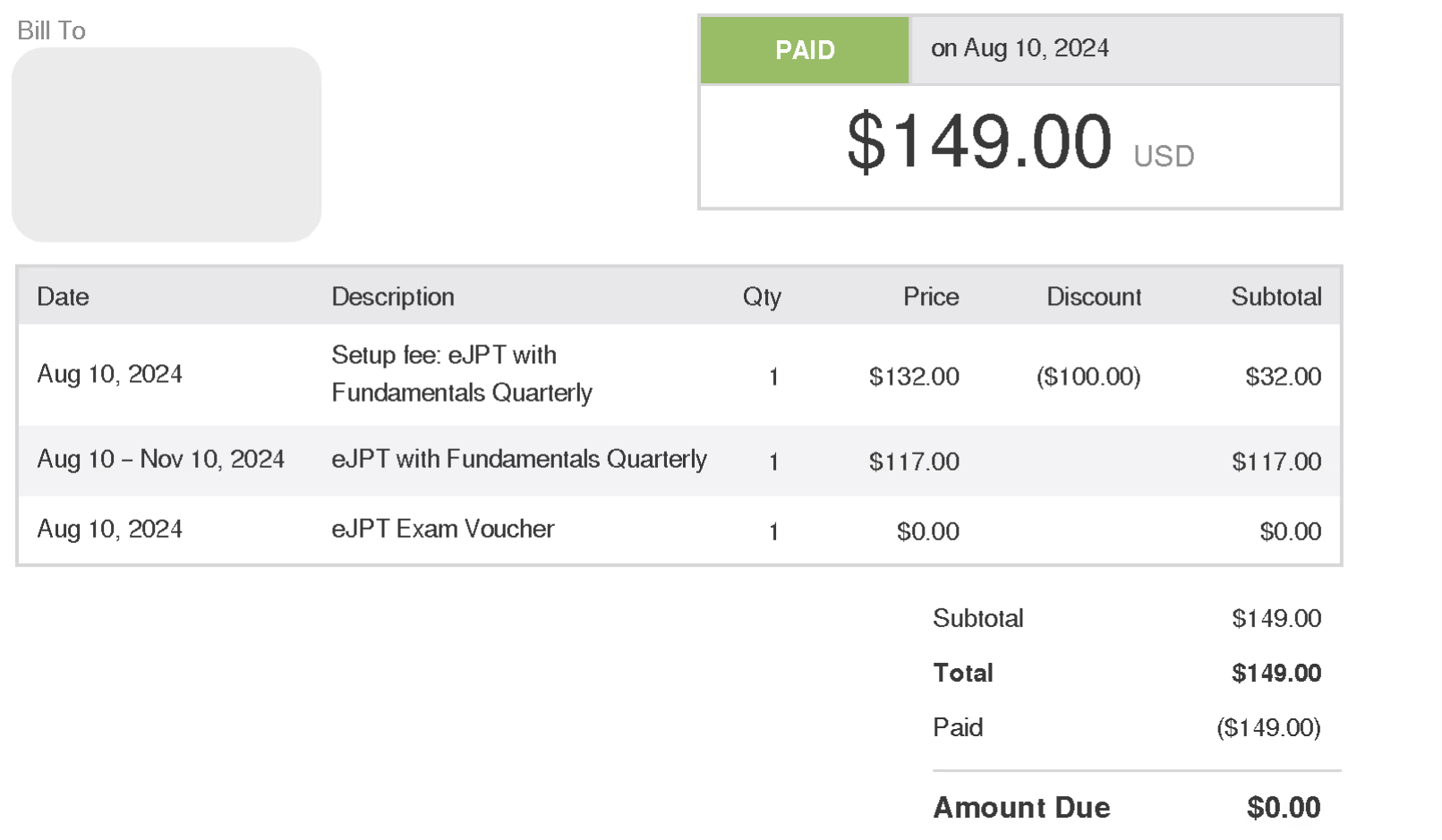
สำหรับผมซื้อ eJPT with Fundamentals Quarterly ในช่วงลดราคา ประกอบไปด้วย
- Fundamentals Quarterly ระยะเวลา 3 เดือน
- Exam Voucher
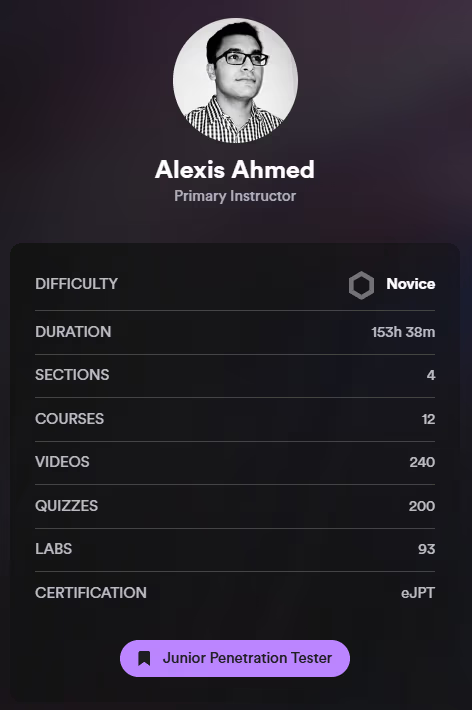
รายละเอียดหลักสูตร : Link
NOTEต้องบอกเลยว่าผมก็ยังเป็นนักเรียนอยู่เลยอาจจะมีทุนทรัพย์ไม่มาก ดังนั้นผมเลยหาทุนโดยไปลงแข่งงาน CTF ต่าง ๆ ที่ได้มามากที่สุดก็จะเป็นงานแข่งขันปฏิบัติการทางไซเบอร์กองทัพอากาศครับ ก็เก็บเล็กเก็บน้อยจนพอจะมีเงินจำนวนนึงไปสอบ Certificate แรกได้ครับ :)
Penetration Testing Student course
เนื้อหาที่เรียนแบ่งเป็น 4 Section ตามที่ต้องไปสอบ คือ
- Section 1 : Assessment Methodologies
- Section 2 : Host and Networking Auditing
- Section 3 : Host and Network Penetration Testing
- Section 4 : Web Application Penetration Testing
ด้วยความที่ผมโชคดี (หรือโชคร้ายนะ ) ในช่วงปลายเดือนสิงหาคม 2024 บางเนื้อหาจะมีการ Retiring เนื้อหาเก่าออกเพื่อที่จะปรับปรุงหลักสูตรใหม่ ดังนั้นเลยทำให้ผมได้เรียนเนื้อหาไปแบบคูณสองไปเลย ซึ่งถ้าคนที่ซื้อคอสหลังจากเดือนนั้นก็ไม่สามารถเรียนเนื้อหา Retiring ได้อีกครับ แต่สำหรับคนที่เคยเรียนไปแล้วก็กดดูย้อนหลังได้ปกติครับ
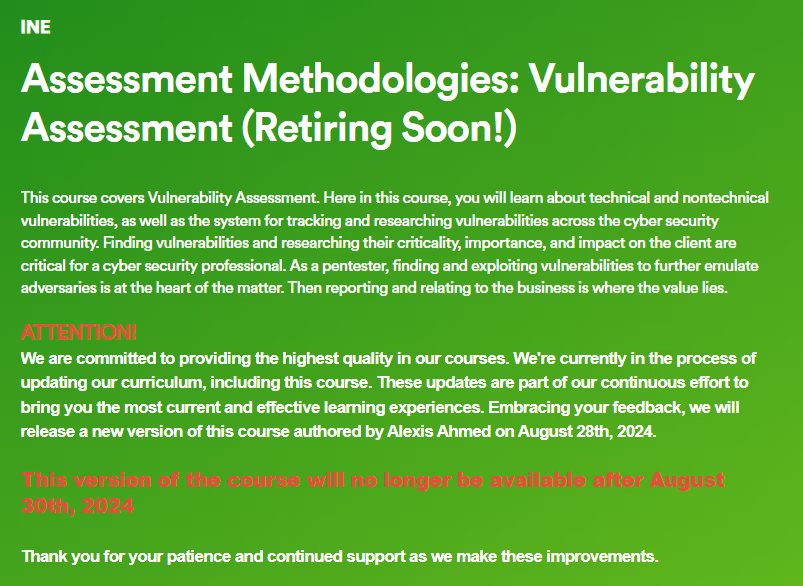
ต้องยอมรับเลยว่าส่วนตัวผมแล้ว Instructor บางคน สอนแบบอ่านตามสไลด์เลยซึ่งทำให้ผมรู้สึกว่าเวลาที่ผมเสียไปไม่คุ้มค่าเท่าไหร่ แต่ที่ผมประทับใจคือ Instructor Alexis Ahmed ที่สอนค่อนข้างถูกใจผมมาก เนื่องจากอธิบายให้เห็นภาพที่ชัดเจนดีนอกเหนือจากสไลด์ครับ ก็คือ ผมยกตัวอย่างในการสอน Section 1 เรื่อง Assessment Methodologies ว่ากันด้วยเรื่องของ Information Gathering, Footprinting & Scanning, Enumeration และ Vulnerability Assessment
สิ่งที่ Instructor เน้นย้ำก็คือหัวใจหลักของการทดสอบเจาะระบบนั่นก็คือ การสืบค้นข้อมูลของเครื่องเป้าหมายให้ได้มากที่สุดนั้นเอง “Enumeration is the KEY” เนื่องจากที่ว่าในกระบวนการนี้ถ้าเราค้นหาไม่ครบถ้วน ก็อาจจะทำให้เราพลาดอะไรบางอย่างไปได้ครับ
ในการนำเสนอของเขานั้น ว่ากันด้วยเรื่องของการสาธิต การใช้เครื่องมืออย่าง Nmap เขาก็จะมีโปรแกรมอย่าง Wireshark ดักการรับส่งของข้อมูล ให้เห็นกันชัด ๆ เลยว่า option ของ Nmap แต่ละแบบมีจำนวน packet มากน้อยประมาณไหน รวมไปถึงการแนะนำสำหรับการนำไปใช้งานจริง ควรที่จะคำนึงถึงผลกระทบต่อ assets ของระบบถ้าเรากระหน่ำ scan แบบไม่สนใจถึงความสามารถของระบบก็อาจจะทำให้เกิดความเสียหายต่อระบบได้ครับ รวมไปถึง เวลาที่เราจะหลบหลีกการตรวจจับของ IDS (Intrusion Detection System) และ IPS (Intrusion Prevention System) ว่าควรที่จะสแกนแบบไหนถึงจะโดนตรวจจับว่ามีความผิดปกติได้น้อยที่สุดครับ
NOTEผมขอยอมรับว่าเนื้อหาผมข้าม ๆ ไปบ้าง แล้วเลือกอ่านเฉพาะที่ยังไม่เคยเรียน เลยไม่ได้เก็บทุกวินาทีแบบ 100% แต่เดี๋ยวผมจะ Guideline สำหรับผู้ที่อาจจะอยู่ในช่วงที่ยังเป็นนักเรียนแบบผม แล้วยังมีทุนซื้อแค่ Exam Voucher โดยผมจะไปเน้นเนื้อหาที่สามารถเรียนได้ฟรีและมีคุณภาพ ที่สามารถหาได้ตาม platform ต่าง ๆ ครับ
Guideline Skills for Guaranteed Success 100%
คำแนะนำของผมสำหรับคนเริ่มต้นใหม่ ตอนนี้มีเนื้อหาให้ศึกษาฟรีตาม platform ต่าง ๆ อยู่แล้ว เริ่มแรกสำหรับคนที่ ZERO เลยจริง ๆ แนะนำว่าควรมี Skill requirements ในระดับพื้นฐานก่อน ถ้าจะพูดถึงก็คือ Computer Science Basics ต่าง ๆ เช่น จำพวกเรื่องของ Computing systems, Internet and networks ฯลฯ
บล็อกที่หามาให้แค่จะแนะนำหัวข้อกับเรื่องที่ต้องรู้ แล้วที่เหลือเป็นหน้าที่ของเราเองที่จะต้องไปศึกษาเพิ่มเติมเองครับ
Learning Roadmap
สำหรับ Learning Roadmap ที่น่าสนใจผมขอแนะนำ platform TryHackMe ครับ
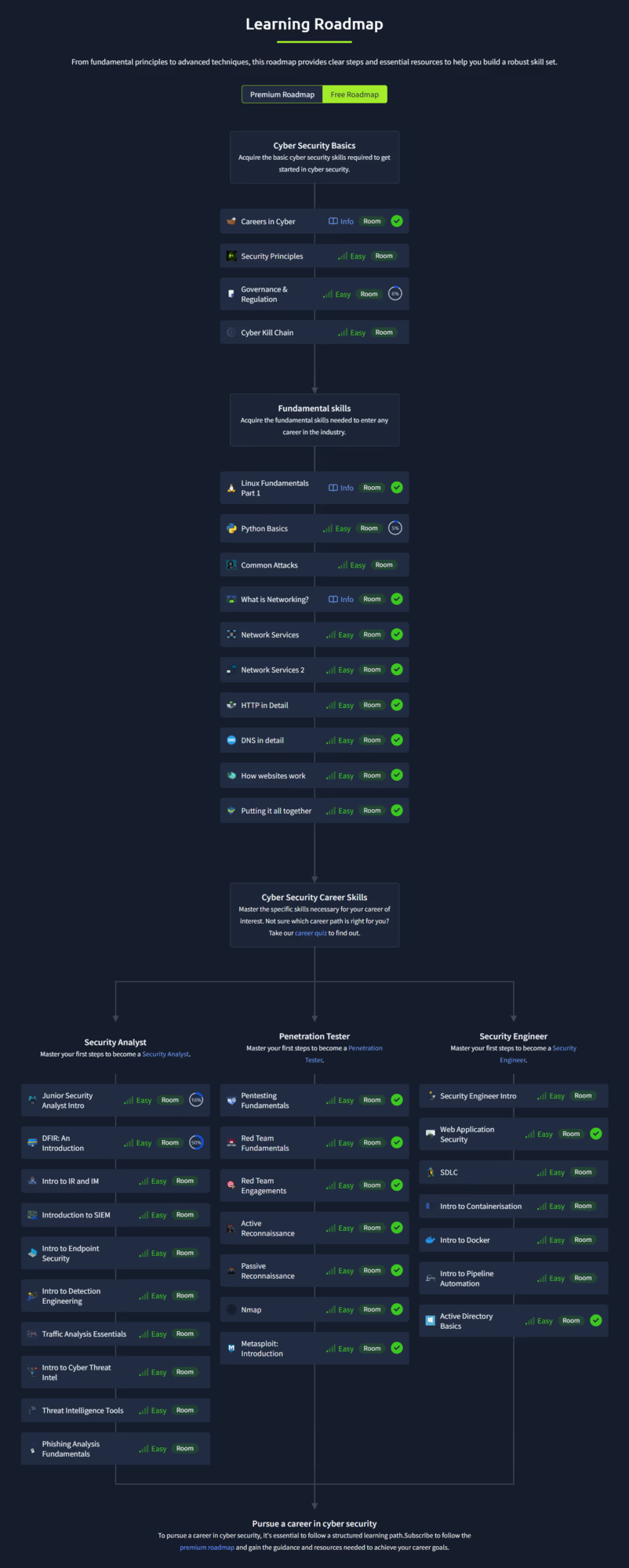
NOTEถ้าเราไล่ตาม Roadmap ตั้งแต่ Cyber Security Basics · Fundamental skills · Penetration Tester ผมมั่นใจว่าความรู้ระดับนี้พอเอาไปใช้สอบได้ครับ
Practical Roadmap
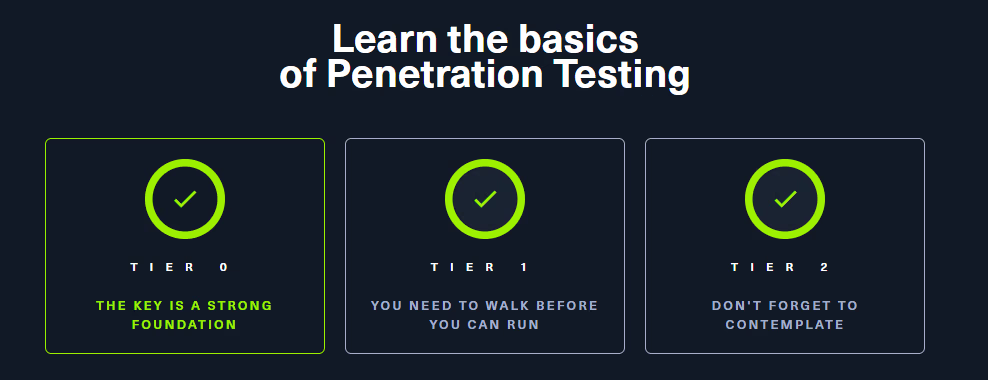
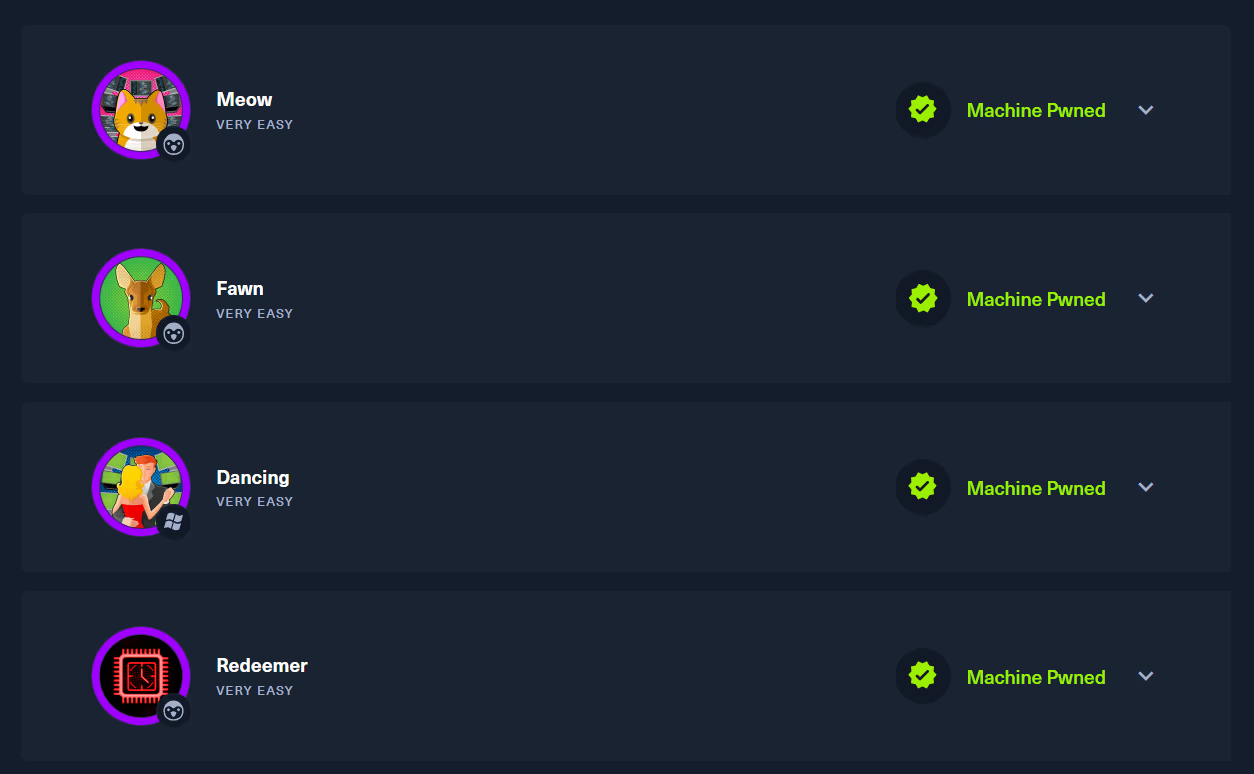
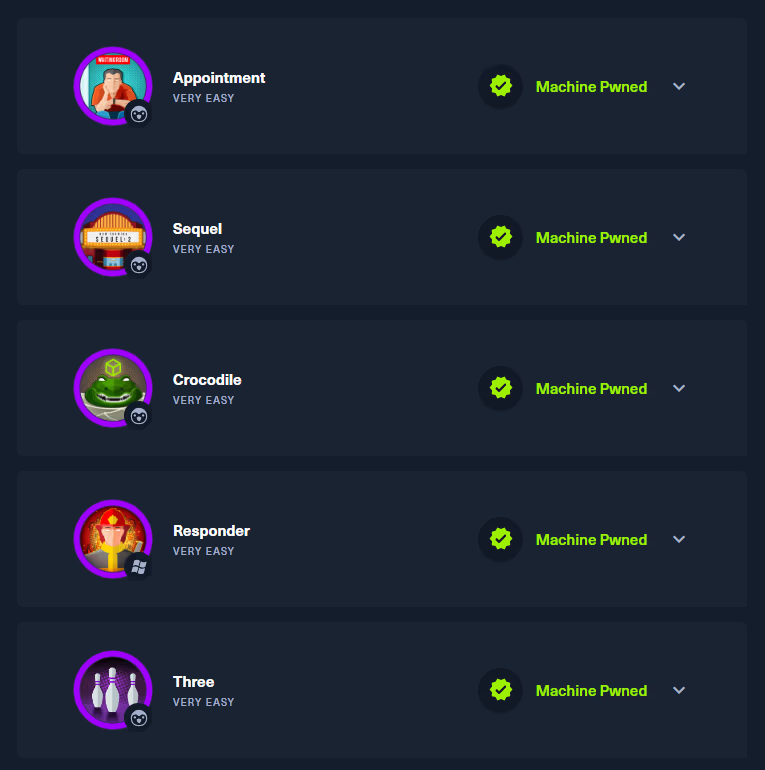
ต่อมาเป็นการฝึกทำ Lab ภาคปฏิบัติ ผมแนะนำ platform Hack The Box ครับ ซึ่งจะไล่ตามระดับเป็น TIER 0, TIER 1 และ TIER 2
TIER 0
TIER 1
TIER 2
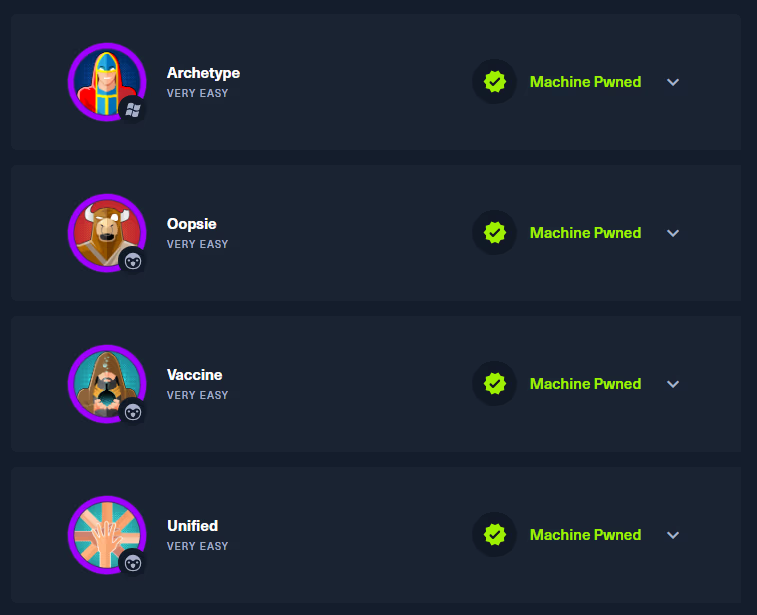
IMPORTANTใน TIER ทั้งหมดทุกเครื่องจะเป็นเครื่องฟรีครับ
TIPขอเพิ่มเติมในส่วน Lab นี้ครับเพราะคิดว่าได้ใช้ในการสอบด้วยครับ THM - Post-Exploitation Basics
Final Roadmap
Roadmap สุดท้ายผมขอแนะนำ platform NCSA Mooc Cyber-Learning ครับ ต้องบอกเลยว่าอันนี้ผมคิดว่าเนื้อหาสรุปได้ดีมาก เป็นภาษาไทย และเนื้อหาค่อนข้างครอบคลุมในการที่จะนำไปใช้ในการสอบ eJPT ครับ ซึ่งจะเป็นเนื้อหาออกเป็น 8 Chapters ครับ
- Chapter 1 - Penetration Test
- Chapter 2 - Scanning
- Chapter 3 - Linux Knowledge
- Chapter 4 - Netcat
- Chapter 5 - Network Security
- Chapter 6 - Web Security
- Chapter 7 - Post Exploitation
- Chapter 8 - Reporting (สำหรับเรื่องนี้อาจจะไม่ได้ใช้ในการสอบ แต่จะได้แนวคิดในการ Takenote ครับ)
Exam Time
ผมต้องบอกตรง ๆ ว่า ผมเจอเหตุการณ์นึงเลยตัดสินใจที่จะสอบโดยทันที เนื่องจากที่ว่าทาง INE ได้ส่งอีเมลมาว่า INE Subscription Expired ซึ่งผมดองคอสไว้ซึ่งยังเรียนไม่ครบ 100% ก็เลยรู้สึกเสียดายนิดนึง แต่ก่อนหน้านี้ดาวน์โหลดสไลด์เนื้อหาเก็บไว้หมดแล้ว และเรียนไปแค่บางเรื่องที่ผมยังไม่เคยเรียนครับ
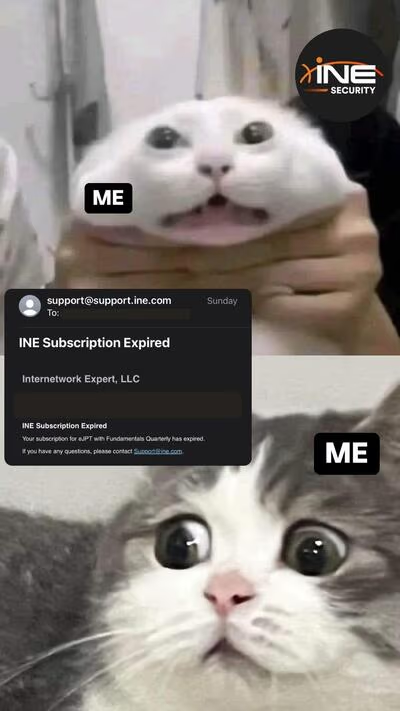
วันนั้นเป็นเวลา 5 ทุ่ม ที่ INE ส่งอีเมลมาผมเลยตัดสินใจว่า งั้นสอบให้มันจบ ๆ ไปเลยจะได้คุ้มค่าเงินที่เสียไป ซึ่งที่ผ่านมาผมก็มีพื้นฐาน และประสบการณ์การแข่งขันไซเบอร์มาทั้งหมด 3 ปี และมีคัมภีร์ไม้ตาย สรุป Command ที่สะสมมาตลอดที่ศึกษาและแข่งขันด้านไซเบอร์ ผมจึงตัดสินใจเริ่มสอบตอน เที่ยงคืนเลยทันที!!!
- 00:00 เริ่มกดทำการสอบ
- 00:15 รอทางเว็บ INE Deploy เครื่องมือ และ แลปสอบ
NOTEระหว่างที่รอก็ทำการ Take Note โจทย์ทั้งหมด 35 ข้อว่าต้องการให้หาคำตอบอะไรบ้าง
- 03:00 พักเข้านอน
- 16:00 กลับมาทำแลปทดสอบต่อ
- 17:50 Recheck คำตอบเตรียมตัวส่ง
- 18:00 Submit ข้อสอบ
เวลาที่ผมทำการสอบ Certificate ไปทั้งหมด 5 ชั่วโมงครับ และผ่านพ้นไปได้ด้วยดีครับ :)
Conclusion
ปิดท้ายด้วย Lesson Learned ว่าผมได้เรียนรู้อะไรบ้าง และต้องปรับปรุงตรงไหน
สิ่งที่ได้เรียนรู้
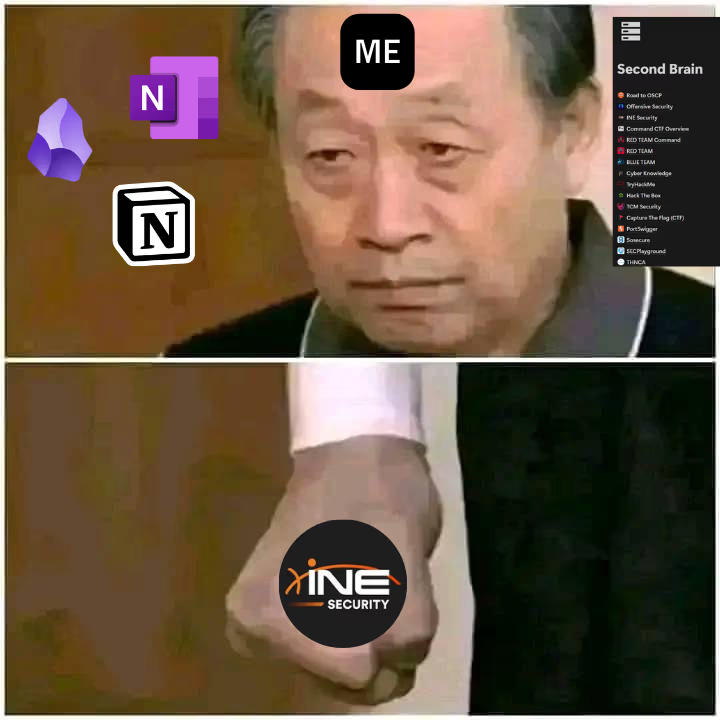
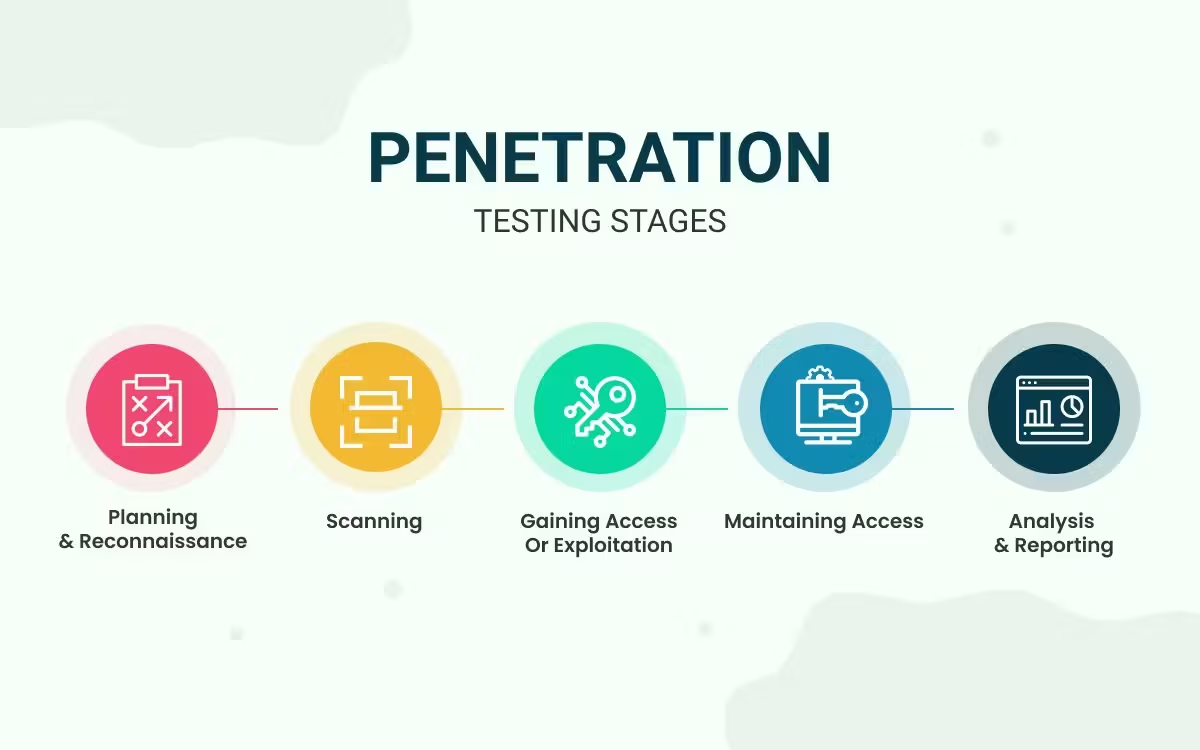
- อย่างแรกเลยคือการ Take Note ผมแนะนำเลยว่าสำคัญมาก ๆ เนื่องจากในทุก ๆ ขั้นตอนที่เราได้ทำการ ไล่ทดสอบเจาะระบบ โดยส่วนใหญ่ผมก็จะอ้างอิงขั้นตอนจาก Penetration Testing Stages ซึ่งจะทำให้เราเห็นภาพได้ง่ายขึ้นว่าเราทำถึงขั้นตอนไหนแล้ว
TIPแนะนำว่าในการใช้เครื่องมือใด ๆ ก็ตาม ยกตัวอย่างเช่น Nmap แนะนำให้ใช้ option ที่จะเซฟผลลัพธ์ออกมาเป็นไฟล์ เพื่อที่ว่าถ้าเราเผลอไปกดออก Terminal เราจะได้ไม่ต้องไป Scan ใหม่ครับ
เมื่อเราคิดว่าเราเจอช่องโหว่ที่มันอาจจะสามารถ Exploit ได้ แต่ถ้าผลลัพธ์มันไม่ได้เป็นไปตามที่ POC ช่องโหว่นั้น ๆ แนะนำ ลองเปลี่ยนหาวิธี Exploit ในช่องทางอื่น เราจะได้ไม่ต้องไปเสียเวลาครับ
ในการทดสอบครั้งนี้ของผม การเลือก Wordlist ในการ BruteForce สำคัญมาก ถ้าเลือกอันที่นิยมใช้งานกัน ก็อาจจะเป็นไปได้ที่เจอแบบผม ก็จะทำให้เราหาทางเข้าเครื่องได้ง่ายกว่าเดิมเลยครับ
สิ่งที่ต้องปรับปรุง
เลือกเวลาสอบได้ไม่ดีนักเป็นเวลากลางคืน ซึ่งเป็นเวลาที่ควรที่จะพักผ่อนครับ
ถ้าคิดว่าเจอช่องโหว่แล้วน่าจะ Exploit ได้ แต่ลองแล้วไม่ออกสักที ช่องทางนั้นอาจจะไม่ใช่ทางที่ Exploit เข้าไปได้จริง ๆ ครับ ผมเสียเวลากับตรงนี้ไปเยอะ Try Harder ครับ!!
IMPORTANT
สำหรับ Certificate มีระยะเวลา 3 ปี ก็ไม่แย่นะครับถ้าจะกลับมา Retake เผื่อจะได้อัปเดตว่าเนื้อหาใหม่ ๆ จะเป็นอย่างไรบ้างในอนาคตครับ
สำหรับเรื่องของ eJPT Certification Review and Guideline ก็ประมาณนี้ครับหวังว่าจะมีประโยชน์ต่อผู้ที่สนใจที่จะเลือกสอบ Certificate เริ่มต้นกันนะครับ ขอบคุณที่เข้ามาอ่านนะครับ
Hello there
Hi everyone, in this blog I’ll review INE’s eJPT Certificate plus a guideline for anyone interested in starting their cert collection in Cyber Security as a Penetration Tester at the entry level.
TIPFor the Security Certification Roadmap, check out pauljerimy.com. It has a great visual summary.
Quick intro
Let me share my background first. I graduated from RTAFA (Navaminda Kasatriyadhiraj Royal Air Force Academy), where I majored in Electrical Engineering, a degree with zero cyber in the core curriculum. There was only 1 elective on cyber that fit the Air Force’s three domains: Air, Cyber, and Space. So I’m not a direct-track cyber grad. Most of my learning was self-study, plus the cadet cyber club where a few instructors could mentor on this field. I picked up most of my cyber experience from CTF competitions and Air Force cyber operations competitions, and from advice from seniors in the industry. Thanks to all of them :)
Overview
eJPT (Junior Penetration Tester) is an entry-level cert. Good for someone starting from ZERO who has studied enough to test basic practical pentesting knowledge.
The exam is Multiple Choice mixed with Capture The Flag format, 35 questions total. You answer per the prompt, for example: find the number of DMZs in the network, find a given user’s password, capture the root flag (file readable only by the highest-privileged user), etc. Exam time is 48 hours / 2 days. No proctor. No Report required. Submit answers and get results.
INE provides a Kali machine with all tools preinstalled. You cannot download extra tools. Boot takes 1 minute. The lab simulates a network. Number of machines depends on what your deploy gives you. Deploy takes about 5 minutes. I got 6 machines, 5 Windows and 1 Linux. You have to discover IP addresses yourself, no info on how many machines are in the network. Score is split into domains as shown:
Quick summary:
- Pass mark: minimum 70%
- Exam duration: 48 hours / 2 days
- Tools provided, no extras allowed
- No proctor
- No Report required
Purchase a certification exam voucher
I bought the eJPT with Fundamentals Quarterly on sale, which includes:
- Fundamentals Quarterly · 3 months
- Exam Voucher
Course details: Link
NOTEI’m still a student, so funds are limited. I built up money by joining CTF competitions, most of it from the Air Force cyber operations competition. Saved up bit by bit until I had enough for my first cert :)
Penetration Testing Student course
The course content is split into 4 Sections aligned with the exam:
- Section 1 : Assessment Methodologies
- Section 2 : Host and Networking Auditing
- Section 3 : Host and Network Penetration Testing
- Section 4 : Web Application Penetration Testing
I got lucky (or unlucky ): late August 2024, some content was being retired for a curriculum refresh. So I got double the content. People who bought after that month can’t access the retiring material, but those who had bought before can rewatch.
Honestly, some instructors just read off slides, which felt like wasted time. The one I really enjoyed was Alexis Ahmed. He explained things vividly beyond the slides. For example in Section 1 on Assessment Methodologies, covering Information Gathering, Footprinting & Scanning, Enumeration, and Vulnerability Assessment.
What he emphasized was the heart of pentesting: gather as much info on the target as possible. “Enumeration is the KEY.” If you don’t enumerate fully, you’ll miss something.
In his demos, when teaching tools like Nmap, he had Wireshark capturing the traffic so you could see exactly how many packets each Nmap option generated. He also shared real-world advice: in production, consider impact on assets, aggressive scans can damage systems. And evasion tips for IDS/IPS, which scan modes are stealthier.
NOTEI skipped some content and only studied things I hadn’t seen before, so I didn’t capture every second of the course. But I’ll provide a Guideline for those who are students like me with only enough budget for an Exam Voucher, focused on free quality content available on various platforms.
Guideline Skills for Guaranteed Success 100%
For beginners, there is plenty of free content on various platforms. Starting from ZERO, you need basic Computer Science prerequisites: Computing systems, Internet and networks, etc.
These blogs only point at the topics you need to know, the rest is up to you to dig in.
Learning Roadmap
For an interesting Learning Roadmap, I recommend TryHackMe.
NOTEIf you follow the roadmap from Cyber Security Basics · Fundamental skills · Penetration Tester, I’m confident your knowledge level will be enough to take the exam.
Practical Roadmap
Next is practicing labs. I recommend Hack The Box’s Starting Point, progressing through TIER 0, TIER 1, and TIER 2.
TIER 0
TIER 1
TIER 2
IMPORTANTAll TIER machines are free.
TIPOne more lab worth adding, I think it’s useful for the exam: THM - Post-Exploitation Basics
Final Roadmap
My final Roadmap recommendation is NCSA Mooc Cyber-Learning. The summary content is great, in Thai, and covers what you need for eJPT. It’s split into 8 Chapters:
- Chapter 1 - Penetration Test
- Chapter 2 - Scanning
- Chapter 3 - Linux Knowledge
- Chapter 4 - Netcat
- Chapter 5 - Network Security
- Chapter 6 - Web Security
- Chapter 7 - Post Exploitation
- Chapter 8 - Reporting (not used in the exam, but good for note-taking concepts)
Exam Time
Honestly, something forced my hand. INE emailed me that my Subscription was Expiring. I’d been sitting on the course unfinished, still not through 100% of it. I had already downloaded all the slides and studied only the topics I hadn’t seen.
It was 11pm when INE’s email arrived. I decided, just finish the exam to make my money worth it. I had 3 years of cyber competition experience and a personal cheat sheet of Commands I’d built up. So I started the exam at midnight!
- 00:00 Start exam
- 00:15 Waiting for INE to Deploy tools and exam lab
NOTEWhile waiting, I took notes on all 35 questions and what answers each one needed.
- 03:00 Break for sleep
- 16:00 Back to the lab
- 17:50 Recheck answers, prep submission
- 18:00 Submit exam
Total time on the cert: 5 hours. Passed cleanly :)
Conclusion
Final summary, Lessons Learned and what I need to improve.
What I learned
- First, Take Notes. This is critical. Every step of the pentest, I reference the Penetration Testing Stages, which makes it easy to see where you are in the process.
TIPFor any tool, like Nmap, use the option that saves results to a file. That way, if you accidentally close the Terminal, you don’t have to re-scan.
If you think you found an exploitable vulnerability but the result doesn’t match the PoC, try a different exploitation path. Don’t waste time forcing it.
For this exam, choosing the right Wordlist for BruteForce was critical. If you pick a popular one, like I did, you might luck into easy access.
What needs improvement
Bad timing on starting at night, when I should have been resting.
If you think you found an exploitable vulnerability but can’t conclude it, the path might not actually be exploitable. I wasted time Trying Harder!
IMPORTANT
That’s the eJPT Certification Review and Guideline. Hope it helps anyone interested in choosing this starter cert. Thanks for reading
⠀⠀⠀⠀⠀⠀⠀⠀⠀⠀⠀⠀⢀⣀⣤⣤⣤⣤⣤⣤⣤⣤⣀⣀
⠀⠀⠀⠀⠀⠀⠀⢀⣤⣶⣿⣿⣿⣿⣿⣿⣿⣿⣿⣿⣿⣿⣿⣿⣶⣤⡀
⠀⠀⠀⠀⠀⣠⣾⣿⣿⣿⣿⣿⣿⣿⣿⣿⣿⣿⣿⣿⣿⣿⣿⣿⣿⣿⣿⣷⣄
⠀⠀⠀⢠⣾⣿⣿⣿⣿⣿⣿⣿⣿⣿⣿⣿⣿⣿⣿⠟⠛⠻⣿⣿⣿⣿⣿⣿⣿⣷⣄
⠀⠀⣰⣿⣿⣿⣿⣿⣿⣿⣿⣿⣿⣿⣿⣿⣿⣿⡇⠀⠀⠀⢸⣿⣿⣿⣿⣿⣿⣿⡿⠂
⠀⣸⣿⣿⣿⣿⣿⣿⣿⣿⣿⣿⣿⣿⣿⣿⣿⣿⣿⣦⣤⣴⣿⣿⣿⣿⣿⡿⠛⠁
⢰⣿⣿⣿⣿⣿⣿⣿⣿⣿⣿⣿⣿⣿⣿⣿⣿⣿⣿⣿⣿⣿⣿⣿⠿⠛⠁
⣾⣿⣿⣿⣿⣿⣿⣿⣿⣿⣿⣿⣿⣿⣿⣿⣿⣿⣿⣿⣿⠿⠋⠀⢀⣀
⣿⣿⣿⣿⣿⣿⣿⣿⣿⣿⣿⣿⣿⣿⣿⣿⣿⣿⠟⠋⠁⠀⠀⠀⣴⣿⣿⣿⣦
⣿⣿⣿⣿⣿⣿⣿⣿⣿⣿⣿⣿⣿⣿⣿⣿⣿⣷⣦⣀⠀⠀⠀⠀⢿⣿⣿⣿⡟⠀Ar3mus @ eJPT Certification Review and Guideline
⢿⣿⣿⣿⣿⣿⣿⣿⣿⣿⣿⣿⣿⣿⣿⣿⣿⣿⣿⣿⣷⣦⣄⠀⠉⠉⠁
⠸⣿⣿⣿⣿⣿⣿⣿⣿⣿⣿⣿⣿⣿⣿⣿⣿⣿⣿⣿⣿⣿⣿⣿⣦⣄⡀
⠀⢻⣿⣿⣿⣿⣿⣿⣿⣿⣿⣿⣿⣿⣿⣿⣿⣿⣿⣿⣿⣿⣿⣿⣿⣿⣿⣶⣄⡀
⠀⠀⠻⣿⣿⣿⣿⣿⣿⣿⣿⣿⣿⣿⣿⣿⣿⣿⣿⣿⣿⣿⣿⣿⣿⣿⣿⣿⣿⣿⣷⡄
⠀⠀⠀⠙⢿⣿⣿⣿⣿⣿⣿⣿⣿⣿⣿⣿⣿⣿⣿⣿⣿⣿⣿⣿⣿⣿⣿⣿⣿⡿⠋
⠀⠀⠀⠀⠀⠛⢿⣿⣿⣿⣿⣿⣿⣿⣿⣿⣿⣿⣿⣿⣿⣿⣿⣿⣿⣿⣿⡿⠋⠁
⠀⠀⠀⠀⠀⠀⠀⠉⠻⢿⣿⣿⣿⣿⣿⣿⣿⣿⣿⣿⣿⣿⣿⣿⠿⠛⠉
⠀⠀⠀⠀⠀⠀⠀⠀⠀⠀⠀⠀⠉⠙⠛⠛⠻⠿⠿⠟⠛⠛⠋⠉